2026-08-04 · 9 min read · 186 views
AI Se Website Kaise Banaye? ChatGPT, Claude, Lovable Se Complete Guide
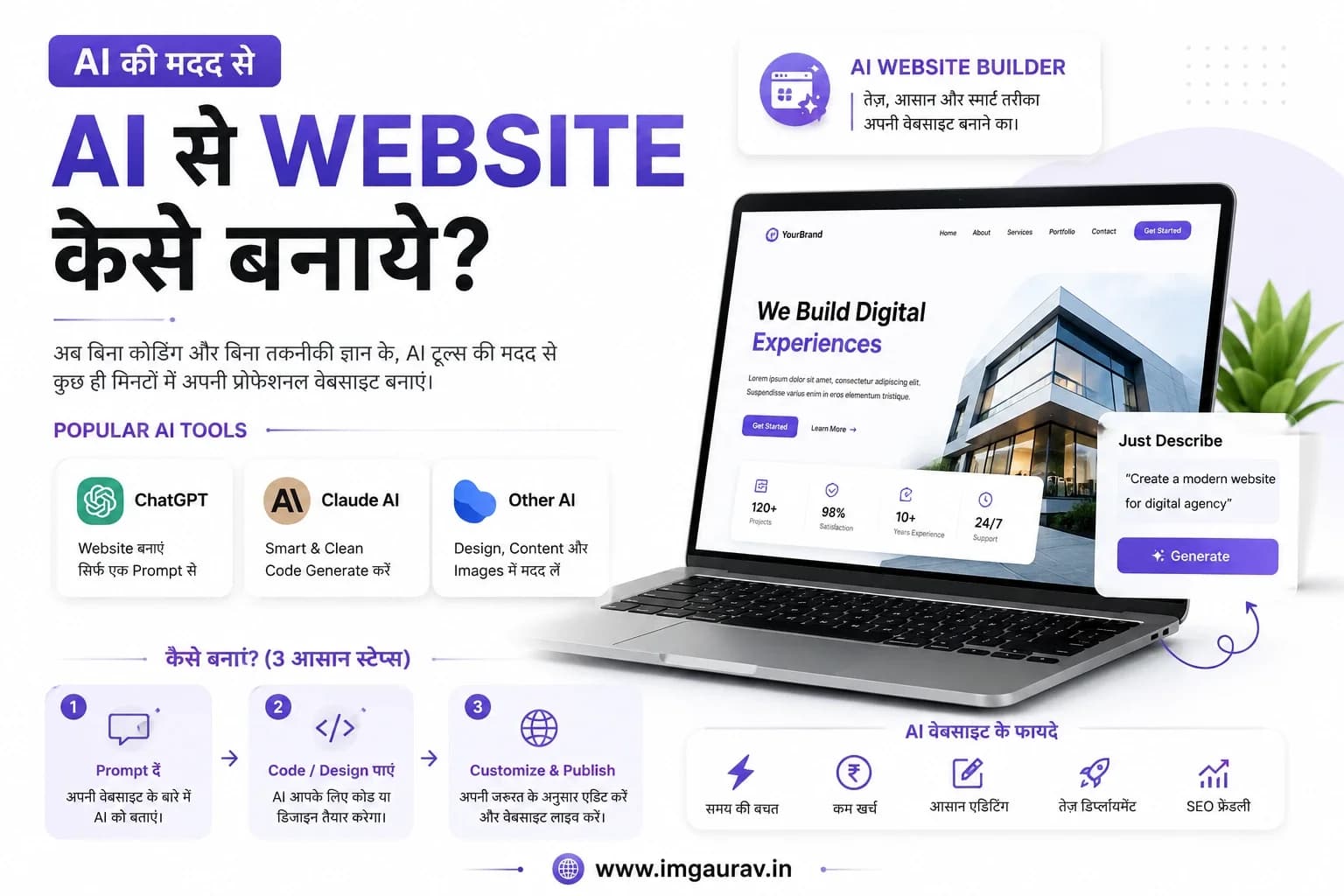
Introduction
Agar aap Google par search kar rahe hain ki AI se website kaise banaye, to iska jawab hai - haan, ab bilkul possible hai, wo bhi bina coding seekhe. AI tools ne website banane ka tareeka pichle 2 saal mein bilkul badal diya hai. Simple language mein samjhein to ab aapko coding seekhne ki zarurat nahi, bas apna idea AI ko sahi tareeke se samjhana aata hona chahiye.
Is guide mein main aapko step by step batane wala hoon ki AI se website kaise banti hai, kaunse tools best hain, aur kahan logon se galtiyaan hoti hain.
Table of Contents
AI Website Kya Hoti Hai
Kya Beginners AI Se Website Bana Sakte Hain
Coding Zaruri Hai Ya Nahi
Pros, Cons Aur Limitations
Best AI Website Building Tools (14 Tools Compared)
ChatGPT Se Website Kaise Banaye - Step by Step
Claude AI Se Website Kaise Banaye - Step by Step
AI Website Banane Ki Common Mistakes
FAQs
Conclusion
AI Website Kya Hoti Hai
AI website wo website hoti hai jo AI tools (jaise ChatGPT, Claude, Lovable) ki madad se banayi jaati hai - aap text mein apni requirement likhte ho ("mujhe ek restaurant ki website chahiye jisme menu, booking aur contact form ho"), aur AI uske liye HTML, CSS, JavaScript ya poora React code generate kar deta hai.
Kya Beginners AI Se Website Bana Sakte Hain
Haan - lekin ek limit tak. Simple landing page, portfolio, ya single-page business website beginner AI tools se easily bana sakta hai. Lekin jaise hi complexity badhti hai - payment integration, database, multiple user roles - wahan technical understanding ya developer ki madad chahiye hoti hai.
Example se samajhte hain: agar aap apna resume/portfolio website banana chahte ho, AI tool 10 minute mein ready kar dega. Lekin agar aapko ek ecommerce store chahiye jisme inventory, payment, aur order tracking ho, wahan sirf AI prompt se kaam nahi chalega.
Coding Zaruri Hai Ya Nahi
Basic use ke liye coding zaruri nahi. Lekin agar AI generated code mein koi bug aa jaaye, ya aap usse customize karna chahein, to thodi si HTML/CSS samajh kaafi help karti hai. Pro Tip: Agar aap serious business ke liye website bana rahe ho, to AI se draft banwao lekin final polish aur deployment ke liye developer se check karwa lo.
Pros, Cons Aur Limitations
Pros:
Bahut fast - minutes mein working prototype
Coding knowledge ki jarurat nahi
Cost-effective, kai tools free tier dete hain
Ideas ko jaldi test karne ka accha tareeka
Cons:
SEO optimization aksar weak hoti hai
Design generic lagta hai agar customize na karo
Security aur scalability limited hoti hai
Complex features (payment, multi-language) mushkil hote hain
Limitations:
AI tools business logic (jaise complex booking rules) sahi se samajh nahi paate
Government ya enterprise-grade compliance AI tools handle nahi karte
Long-term maintenance ke liye developer chahiye hi hota hai
Future: Reality ye hai ki AI website builders aage aur powerful honge, lekin "custom business logic + security + SEO" ka kaam abhi bhi ek experienced developer hi best kar sakta hai - AI ek accelerator hai, replacement nahi.
Best AI Website Building Tools (14 Tools Compared)
1. ChatGPT
Best Use Case: Code snippets, simple HTML/CSS pages, content writing Pros: Versatile, explains code, free tier available Cons: Manual copy-paste required, no live preview Pricing: Free / Plus ~$20/month Who should use it: Beginners jo code samajhna bhi chahte hain
2. Claude AI
Best Use Case: Complete web apps with Artifacts (live preview), complex logic Pros: Clean code, live rendering, better at following detailed instructions Cons: Full deployment ke liye external hosting chahiye Pricing: Free / Pro ~$20/month Who should use it: Wo log jo functional prototype turant dekhna chahte hain
3. Lovable
Best Use Case: Full-stack apps directly from prompt Pros: End-to-end app generation, database integration Cons: Paid plans thode expensive Pricing: Free tier + paid plans Who should use it: Startups jo jaldi MVP launch karna chahte hain
4. Bolt.new
Best Use Case: Instant full-stack web apps in browser Pros: Real-time preview, one-click deploy Cons: Complex apps mein manual fixing chahiye hoti hai Pricing: Free tier + usage-based Who should use it: Developers jo rapid prototyping chahte hain
5. v0 (by Vercel)
Best Use Case: UI components aur React frontend Pros: Vercel ke saath seamless deployment Cons: Frontend-focused, backend logic limited Pricing: Free tier + paid Who should use it: React/Next.js developers
6. Replit AI
Best Use Case: Full coding environment with AI assistance Pros: Complete IDE, hosting built-in Cons: Learning curve for non-coders Pricing: Free tier + paid plans Who should use it: Developers jo code likhna bhi chahte hain
7. Cursor AI
Best Use Case: AI-powered code editor for developers Pros: Powerful autocomplete, codebase understanding Cons: Coding knowledge zaruri hai Pricing: Free tier + Pro ~$20/month Who should use it: Professional developers
8. Windsurf
Best Use Case: AI pair-programming for larger codebases Pros: Deep code context, agentic editing Cons: Beginners ke liye complex Pricing: Free tier + paid Who should use it: Development teams
9. Framer AI
Best Use Case: Design-first marketing websites Pros: Beautiful templates, no-code editor Cons: Custom backend logic possible nahi Pricing: Free tier + paid plans Who should use it: Designers aur marketers
10. Wix AI
Best Use Case: Small business websites, quick setup Pros: Drag-drop editor, beginner-friendly Cons: SEO aur speed limitations Pricing: Free tier + paid plans Who should use it: Non-technical small business owners
11. Hostinger AI
Best Use Case: Website + hosting in one package Pros: Hosting included, easy setup Cons: Design customization limited Pricing: Hosting plans se bundled Who should use it: Log jo hosting bhi ek sath chahte hain
12. Durable AI
Best Use Case: Ultra-fast website generation (seconds) Pros: Bahut fast, simple use Cons: Design options limited Pricing: Free trial + paid Who should use it: Solopreneurs jo turant website chahte hain
13. 10Web AI
Best Use Case: WordPress-based AI website building Pros: WordPress ecosystem, plugins available Cons: WordPress ki typical speed/security concerns Pricing: Paid plans Who should use it: WordPress users jo AI se speed karna chahte hain
14. Webflow AI
Best Use Case: Professional, custom-designed websites Pros: High design control, clean code output Cons: Learning curve, pricing higher Pricing: Free tier + paid plans Who should use it: Designers jo pixel-perfect control chahte hain
ChatGPT Se Website Kaise Banaye - Step by Step
ChatGPT open karein aur apni requirement clearly likhein - jaise "mujhe ek portfolio website chahiye HTML, CSS mein, dark theme ke saath"
ChatGPT jo code de, use copy karein
Ek naya folder banayein aur usme
index.html,style.cssfiles create kareinCode paste karke save karein
File ko browser mein double-click karke preview karein
Changes ke liye ChatGPT se follow-up prompt dein ("navbar ka color blue kar do")
Final ho jaane par deployment guide follow karke website live karein
Claude AI Se Website Kaise Banaye - Step by Step
Claude.ai par jaake apni requirement detail mein likhein - pages, features, style sab specify karein
Claude "Artifact" ke through live preview turant dikha dega
Preview dekh kar changes bolte jaayein - jaise "yeh section mobile par thik se dikhna chahiye"
Jab design final ho jaaye, code download/copy karein
Agar React/Next.js app hai to us project structure ko local machine par setup karein
GitHub par push karke Vercel/Netlify se deploy karein - poora process yahan dekhein
Expert Suggestion: Claude aur ChatGPT dono ka combination best result deta hai - ek se code generate karo, dusre se review/debug karwao.
AI Website Banane Ki Common Mistakes
Bina clear requirement ke prompt likhna
Mobile responsiveness check na karna
SEO tags (title, meta description) add na karna
Generated code ko bina samjhe deploy kar dena
Security (jaise API keys) code mein hardcode kar dena
Sirf ek AI tool par depend rehna
Design ko customize na karna, generic template chhod dena
Backend logic ko AI se hi manage karne ki koshish karna
Domain aur hosting setup skip kar dena
Content ko AI se hi likhwa kar bina edit kiye publish karna
Testing skip karna before launch
Version control (Git) use na karna
Payment gateway ko production mein bina testing daal dena
Loading speed optimize na karna
Backup na rakhna generated code ka
Analytics aur tracking add na karna
Accessibility (screen readers, alt text) ignore karna
Legal pages (privacy policy) na add karna
Free tier ki limitations samjhe bina project plan karna
Complex business logic ke liye bhi sirf AI par depend rehna
FAQs
AI website free hai? Zyadatar tools ka free tier hota hai, lekin advanced features aur hosting ke liye paid plans lag sakte hain.
Kya AI website professional business ke liye safe hai? Simple websites ke liye theek hai, lekin sensitive data ya payment involve ho to developer review zaruri hai.
ChatGPT aur Claude mein kya difference hai website banane ke liye? Claude live preview (Artifacts) deta hai jisse turant dekh sakte ho, jabki ChatGPT mein code manually test karna padta hai.
Kya AI generated website SEO friendly hoti hai? By default nahi - meta tags, alt text aur structure manually optimize karni padti hai.
Bina coding ke website kaise banaye? Wix AI, Framer AI ya Durable jaise no-code AI tools use karke bina coding ke website ban sakti hai.
Lovable aur Bolt.new mein kya farak hai? Lovable full-stack apps (database ke saath) banane mein strong hai, Bolt.new instant browser-based prototyping ke liye best hai.
AI website kitni jaldi ban jaati hai? Simple website 10-30 minute mein AI se ban sakti hai, complex app mein kuch ghante lag sakte hain.
Kya AI website ko baad mein customize kar sakte hain? Haan, code milta hai jise developer aage customize kar sakta hai.
Kya AI website secure hoti hai? Basic security hoti hai, lekin production-level security ke liye manual review zaruri hai.
AI se banayi website ko live kaise karte hain? GitHub, Vercel, Netlify ya traditional hosting use karke - poora step-by-step guide yahan hai.
Kya AI website business growth ke liye kaafi hai? Prototype ya MVP ke liye haan, lekin scale karne ke liye professional development recommended hai.
v0 aur Webflow AI mein kaunsa better hai? v0 React developers ke liye better hai, Webflow AI designers ke liye jo visual control chahte hain.
Conclusion
AI tools ne website banana pehle se kahin zyada easy bana diya hai - aap ek prototype ya simple website minutes mein bana sakte hain. Lekin jab baat aati hai ek business-ready, secure, SEO-optimized aur scalable website ki, wahan AI sirf starting point hai, final solution nahi.
Agar aapne AI se apni website ka draft bana liya hai aur ab use professionally polish, secure aur live karwana chahte hain, to expert help lena best decision hoga.
imgaurav.in par apna AI-generated website review karwayein aur usse professional business website mein convert karwayein.
Agar poora budget aur process pehle samajhna chahte hain, to website banwane ka complete cost guide padhein.
Related Articles

2026-07-28 · 13 min read
Website Developer in Lucknow
Looking for a trusted website developer in Lucknow? Gaurav Yadav builds custom websites, ERP software & apps for businesses across India.
Read More
2026-07-28 · 11 min read
Website Developer in Lakhimpur – Web, App & Software
Looking for a website developer in Lakhimpur? Here's an honest, no-jargon guide for local shops, schools, clinics, and traders — what to check before hiring, real costs, whether you actually need a mobile app, and how to pick the right web design or software partner for your business
Read More
2026-08-04 · 9 min read
Website Banwane Ka Kharcha Kitna Aata Hai? Complete Guide 2026
India mein ek basic business website banwane ka kharcha ₹5,000 se ₹25,000 tak hota hai, standard website ₹25,000-₹60,000, aur premium ya ecommerce website ₹60,000 se ₹3,00,000+ tak ja sakti hai. Cost design complexity, pages ki sankhya, hosting, aur developer ke experience par depend karti hai.
Read MoreComments
Be the first to comment.